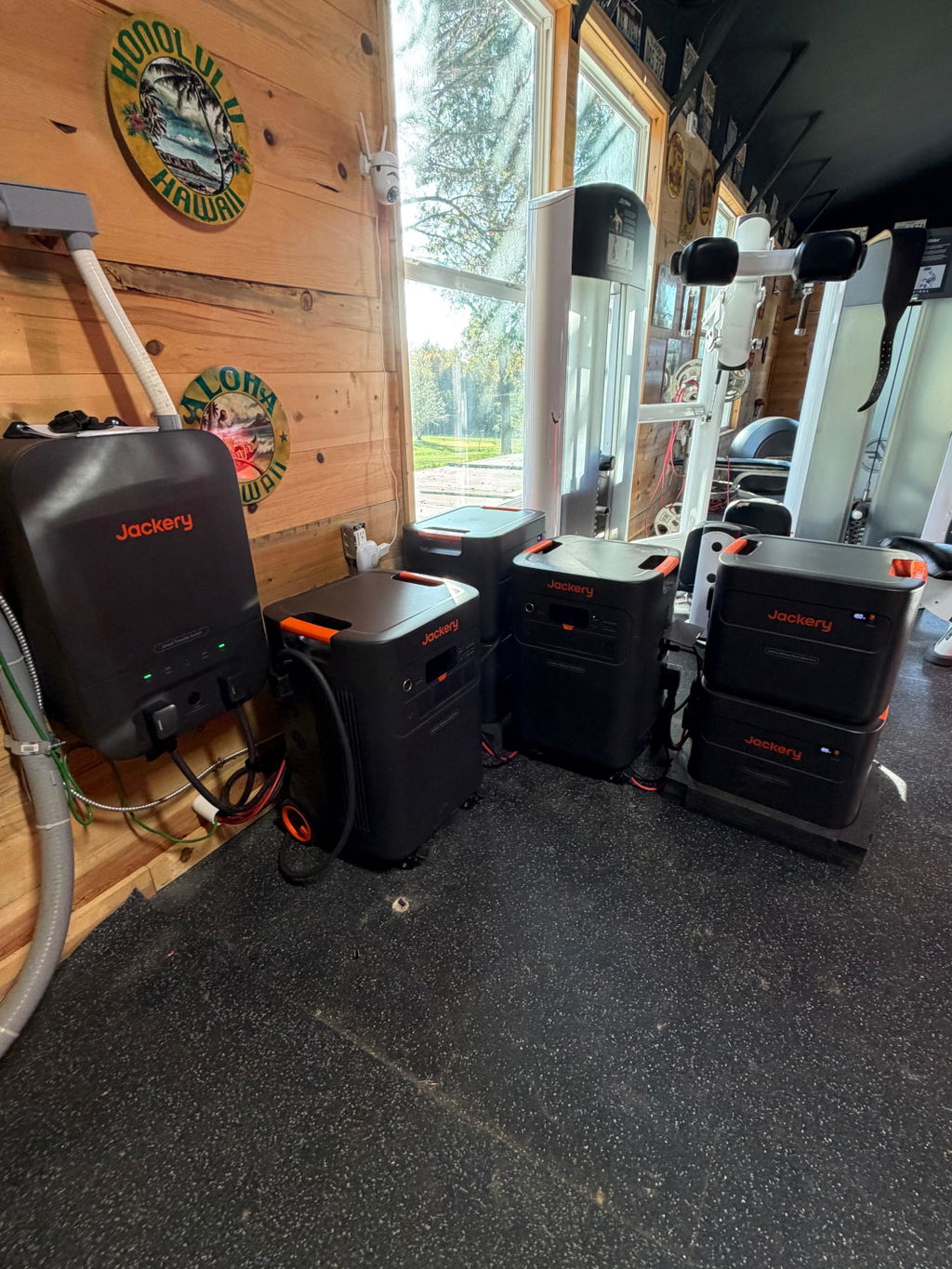
Jackery Automatic Transfer Switch
$1,259.00

We Beat Any Price
Found the same price or less? Just ask & we'll beat it.
Found the same price or less? Just ask & we'll beat it.
The Jackery Automatic Transfer Switch helps connect a compatible Jackery power station to your home's electrical system, making it easier to manage backup power when the grid goes down. Designed for home backup applications, this smart transfer switch automatically changes the power source between grid electricity and compatible portable power station power, helping keep selected household circuits supplied during an outage. It also supports app-based energy management, giving homeowners more control over how they use stored energy.
For homeowners planning a more integrated backup power setup, the Jackery Smart Transfer Switch offers a way to move beyond plugging individual appliances into a portable power station. Instead, it can work with a compatible Jackery system to supply designated household circuits. Before purchasing, confirm your power station model, electrical panel requirements, and installation needs to ensure the system suits your home.
When utility power fails, the transfer switch can automatically change the connected home circuits to backup power from a compatible Jackery power station. This reduces the need to manually move individual appliance plugs or switch between power sources during an outage.
The system's UPS function can provide switching within 20 milliseconds when properly configured with a compatible Explorer 5000 Plus and activated through the Jackery app. Actual switching behavior depends on the system's operating conditions and settings.
The Jackery Smart Transfer Switch supports up to 12 household load branches, allowing a compatible setup to supply multiple selected circuits through the home's electrical distribution system.
This can be useful when planning backup power for everyday essentials such as refrigeration, lighting, and network equipment. The circuits you choose should reflect your household's needs and the available power station capacity. Connecting more circuits does not increase the energy stored in your power station, so load planning remains important.
The transfer switch supports Wi-Fi and Bluetooth communication and works with the Jackery app for system monitoring and control. App features include real-time energy monitoring, remote circuit control, and customizable power settings.
This gives homeowners a practical way to manage their backup setup without relying entirely on manual adjustments. You can also configure supported operating modes to help coordinate stored energy use with your household's electricity needs.
When configured with a compatible system, the Smart Transfer Switch supports charging and discharging schedules. This can help households manage when stored power is used and when grid electricity supplies connected loads.
For homes with time-of-use electricity rates, scheduling may help shift some energy use away from higher-cost periods. Actual savings depend on your electricity plan, household consumption, charging sources, and system settings. Savings are not guaranteed.
The Smart Transfer Switch can form part of a home backup setup that uses solar energy stored in a compatible Jackery power station. Solar panels connect to the supported power station rather than directly to the transfer switch.
This arrangement can help homeowners combine solar charging with managed household backup power. If you already have rooftop solar, check your existing inverter arrangement and electrical configuration before purchasing. Compatibility depends on the system design, and the transfer switch does not provide grid-tie functionality.
For homeowners who want more than a standalone portable power station, the Smart Transfer Switch can connect compatible backup power to selected household circuits. This can simplify the process of supplying planned loads when utility service is interrupted.
Before installation, identify the circuits that matter most, estimate their combined power demand, and check whether the compatible power station can support those loads for the desired period.
Storms, utility interruptions, and other unexpected outages can make everyday household tasks more difficult. A properly configured backup system can help maintain power to selected circuits while grid service is unavailable.
Remember that backup duration depends on available battery capacity and the power consumed by connected equipment. For safety, Jackery does not recommend using its portable power stations for life-support equipment or applications where a power interruption could cause serious harm or property damage.
Homeowners with a compatible Jackery power station and suitable solar charging equipment may use the transfer switch as part of a solar-assisted backup system. Stored solar energy can help supply connected household loads, depending on battery charge, solar production, and configured operating modes.
The transfer switch is not a standalone solar charge controller or a direct connection point for rooftop solar panels. Confirm the complete system configuration before planning a purchase.
A portable power station used on its own is convenient for powering compatible appliances directly, but it does not automatically integrate those appliances into a home's electrical circuits. The Smart Transfer Switch offers a more integrated approach for supported household circuits when paired with compatible Jackery equipment.
A manual transfer switch is another option for connecting backup power to selected circuits. Unlike an automatic transfer switch, a manual system requires the user to operate the switching mechanism when changing power sources. The Smart Transfer Switch is designed to automate this process and provide additional app-based energy management features.
A traditional standby generator or a larger whole-home backup system may be more appropriate for some properties, depending on required output, fuel preferences, runtime expectations, and electrical demands. The Jackery Smart Transfer Switch is not a standalone source of electricity; it needs a compatible power station and a properly designed electrical installation.
The Jackery Smart Transfer Switch is intended for homeowners who want a more integrated way to manage backup electricity through a compatible Jackery power station. It may be especially useful when you want to supply multiple selected circuits and manage power through an app.
Jackery lists the Smart Transfer Switch as compatible with the 5000 Plus Series and 3600 Pro Max Series. Confirm compatibility with your exact model before purchasing.
Yes. The system is designed to switch between grid power and compatible power station power automatically. The 20-millisecond UPS switching function requires a compatible Explorer 5000 Plus and activation through the Jackery app.
No. Solar panels connect to the compatible Jackery power station, which can then supply the transfer switch. Check your existing solar system configuration before adding the equipment.
The manufacturer recommends professional installation and advises using a certified electrician or an appropriately certified installer. Confirm local electrical regulations and installation service availability before proceeding.
No. It manages the connection between grid electricity, compatible backup power, and designated household circuits. Electricity must come from the utility grid or a compatible power station.
Verify the package contents against the current product listing before purchase, as package details may change.
A useful backup power system starts with the right equipment, realistic power expectations, and a clear understanding of your home's electrical requirements. The Jackery Automatic Transfer Switch can help bring those elements together by connecting compatible Jackery backup power to selected household circuits with automatic switching and app-based management.
At Outbound Power, our focus is helping you choose equipment that fits your actual power needs rather than adding components you may not need. Review your existing power station, electrical panel, and backup priorities before making your decision. Choose Outbound Power as your partner in building a practical, thoughtfully planned backup power solution for your home.


Yes! Outbound Power is an Authorized Dealer for every single brand and product on our store.
Shipping times vary depending on your location and the product or products ordered.
Order Processing Time
Most products are processed within 1-3 business days. If there is a delay in processing your order, we will alert you with as much information as possible about what to expect.
After order processing is complete, you will receive tracking information to monitor your order while it is in transit.
Order Shipping Time
Following processing, it may take between 3 and 8 days to arrive, depending on your location.
Please refer to the product page for your item and reference the estimated delivery time frame for more details.
Additionally, you can see the estimated delivery time frame during checkout and receive a tracking number once your order ships.
Everything on our store ships for free. Really!
Most items may be returned within 30 days of delivery. Please refer to our Returns & Exchanges policy to determine what items are eligible. Returns are not accepted beyond 30 days following delivery.
Everything sold on our website is brand-new.
No — we price BEAT! Please refer to our Price Beat Promise for full details.

Click to apply at checkout
placeholder