The Jackery Explorer 5000 Plus Backs Up Your Home With 5,040Wh And 7,200W Of 120V/240V Power
The Jackery Explorer 5000 Plus is a 5,040Wh LiFePO4 home backup power station with 7,200W of rated output (14,400W surge) at both 120V and 240V. Plug appliances straight into its outlets, or connect it to the Jackery Smart Transfer Switch so selected home circuits switch to battery power on their own when the grid goes down.
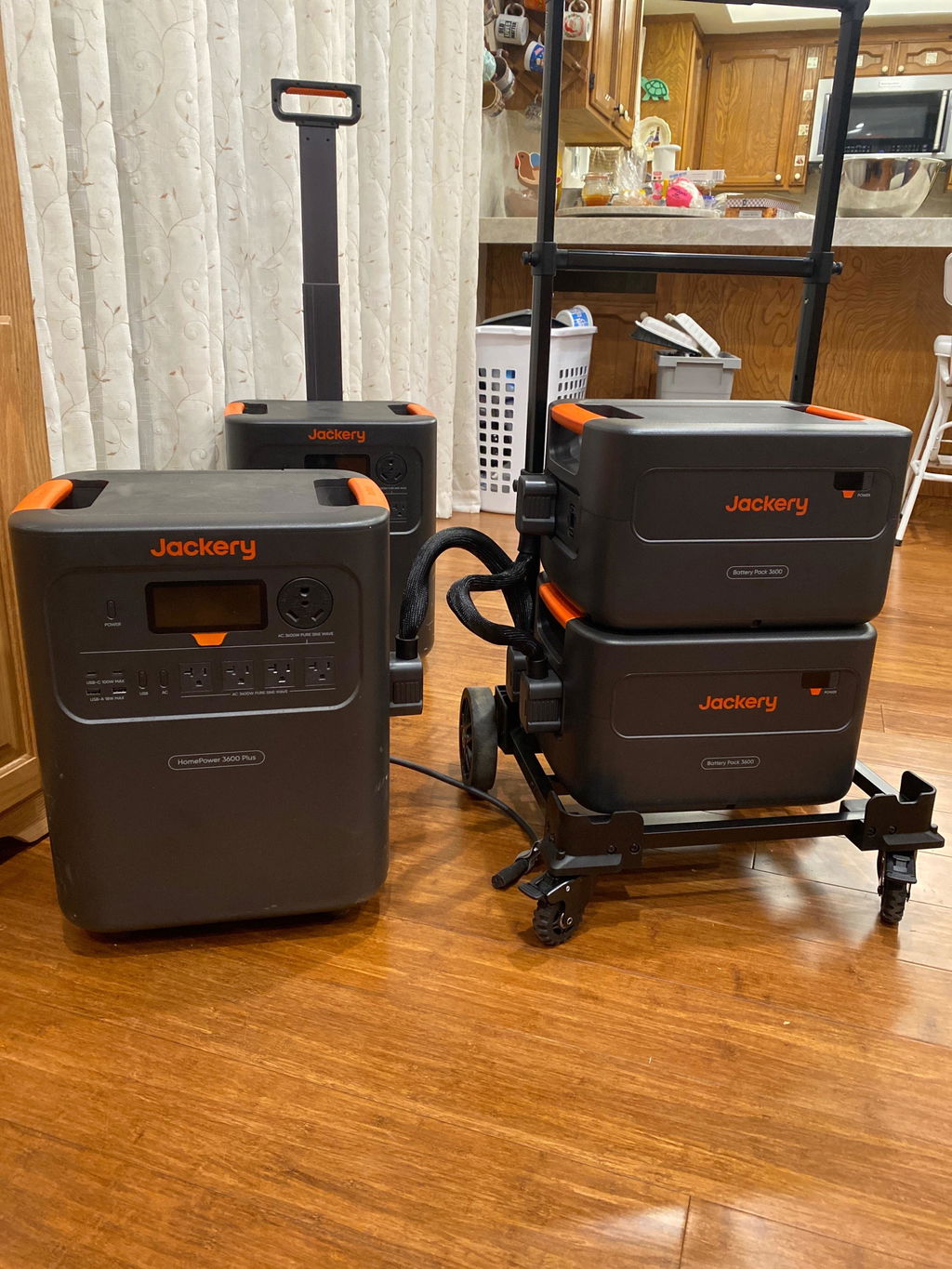
One unit stores 5,040Wh. Add up to five Jackery Battery Pack 5000 Plus units for 30,240Wh, or run two Explorer 5000 Plus units together through the Smart Transfer Switch for 14,400W of output and up to 60kWh with ten battery packs. Jackery says an expanded system can back up home essentials for up to 13 days. Actual runtime depends on what you power.
It recharges from a wall outlet, from solar panels or through the Smart Transfer Switch. Jackery measures it at about 30 dB in Quiet Mode, and with no engine or exhaust it can run indoors. Built-in wheels and a pull handle move its 134.5 lbs around the house.

Jackery Explorer 5000 Plus Features
7,200W At 120V And 240V Runs Large Home Appliances
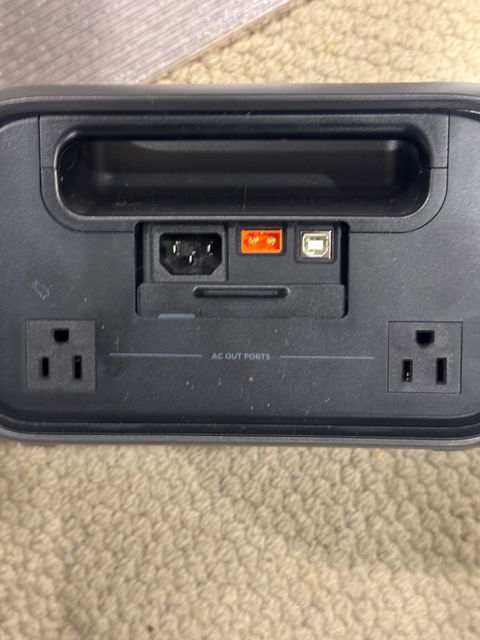
The 5000 Plus delivers 7,200W continuous and 14,400W surge through its 120V/240V 30A outlet, plus four 120V 20A household outlets. Jackery says it can run 240V appliances such as a central air conditioner (up to 5 tons) or a water heater. Compare your appliance's running and starting watts with these ratings before you buy.
Expand From 5kWh To 30kWh On One Unit
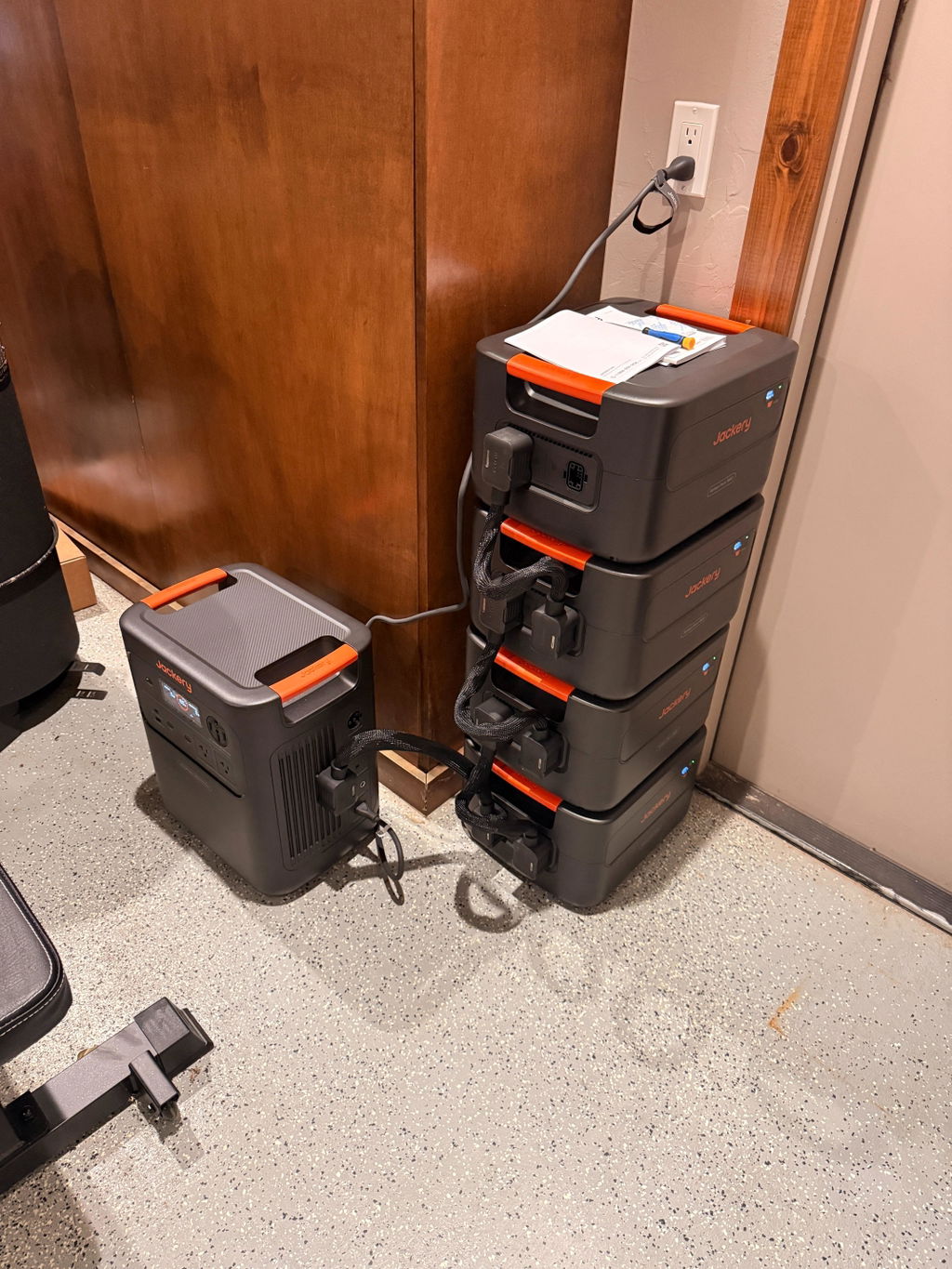
Each Battery Pack 5000 Plus adds 5,040Wh, and one Explorer 5000 Plus accepts up to five of them. Two units connected through the Smart Transfer Switch support up to ten battery packs for 60kWh. You can start with the capacity you need today and add packs later.
Automatic Backup With UPS Switching
Connected to your home circuits with Online UPS mode turned on in the Jackery app, the 5000 Plus switches over with 0ms transfer time, per Jackery. Through the Jackery Smart Transfer Switch, the switchover takes about 20 milliseconds.
Eight Ways To Recharge, Including Up To 4,000W Of Solar
Jackery lists eight ways to recharge the 5000 Plus. A standard 120V wall outlet fills it in about 3.5 hours, and charging through the Smart Transfer Switch takes about 1.7 hours. For solar, it has a high-voltage input (135V to 450V) and two low-voltage 8mm inputs (16V to 60V), and Jackery rates its solar input at up to 4,000W.
LiFePO4 Cells Rated For 4,000 Cycles
The battery keeps 70% or more of its capacity after 4,000 charge cycles. Jackery puts the cells' theoretical service life at 11 years based on that cycle rating, and its ChargeShield 2.0 system uses 62 battery management protection algorithms. The housing uses UL94 V-0 flame-rated materials.
Monitor And Schedule From The Jackery App
The Jackery app lets you monitor usage and schedule charging and discharging. You can charge during off-peak hours and use stored power when time-of-use rates peak. Any savings depend on your utility plan and how you use the system.
Quiet Enough To Run Indoors
Jackery measures about 30 dB in Quiet Mode and 51.7 dB at full load, from 1 meter away. With no fumes, it can sit in a garage, laundry room or home office. Charge it between 32°F and 113°F, and use it between 5°F and 113°F.
Jackery Explorer 5000 Plus Runtime Examples
Runtime depends on how much power your appliances draw. These examples come from Jackery's lab tests on the 5000 Plus, so your results will vary.
- Compact refrigerator (90W): about 26 hours
- Wall-mounted air conditioner (900W): about 4.5 hours
- Central air conditioner (2,200W to 3,050W): about 2 hours cooling or 1.7 hours heating
Adding one Battery Pack 5000 Plus doubles the capacity to 10,080Wh, so expect roughly twice these times.

How The Jackery Explorer 5000 Plus Compares
Here is how the Explorer 5000 Plus lines up with three other 240V home backup systems we carry. The figures come from each maker's specifications.
| Explorer 5000 Plus |
TITAN 5000 Plus |
SOLIX E10 |
HomePower 3600 Pro Max |
| Starting Capacity |
| 5,040Wh |
5,018Wh |
6,144Wh |
3,584Wh |
| Max Capacity On One Unit |
| 30.2kWh |
30.1kWh |
30.7kWh |
21.5kWh |
| Continuous Output |
| 7,200W |
7,200W |
7,680W |
4,000W |
| Max Solar Input |
| 4,000W |
8,000W |
9,000W |
1,200W |
| Switchover Time |
| 0ms or 20ms |
<20ms |
<20ms |
<10ms |
For the Explorer 5000 Plus, 0ms applies in Online UPS mode and about 20ms through the Smart Transfer Switch. The EcoFlow TITAN 5000 Plus can deliver up to 10,000W while solar is feeding it, and its switchover time is with the Smart Home Panel 10. The Anker SOLIX E10 can run at 10,000W in Turbo mode for 90 minutes with two batteries. The Jackery HomePower 3600 Pro Max delivers 4,000W at 240V or 2,000W at 120V, and its 1,200W solar rating comes from Jackery's user manual, since its online spec sheet doesn't list one.
See the full specifications on the EcoFlow TITAN 5000 Plus, Anker SOLIX E10 and Jackery HomePower 3600 Pro Max pages.
Is The Jackery Explorer 5000 Plus Right For Your Home
This May Be A Good Fit If
- You want backup power for a refrigerator, Wi-Fi, lights, a furnace blower and other essentials without running a gas generator
- You need 240V for an air conditioner, well pump or other large appliance
- You plan to add battery capacity or solar panels over time
- You want selected circuits to switch over automatically through the Smart Transfer Switch
Good To Know Before You Buy
- While it is connected to the Smart Transfer Switch, the 5000 Plus can't charge from its own 120V AC input, per Jackery. Ask us about recharging options for long outages before you order.
- The Smart Transfer Switch should be installed by a certified electrician. Jackery estimates a typical installation at $1,500 to $2,000, depending on your location and home. Our home backup installer directory can help you find one near you.
- Jackery does not recommend its power stations for medical or life-support equipment, or anywhere a power interruption could cause injury or serious property damage.
- It weighs 134.5 lbs, so plan where it will sit before it arrives.
Jackery Explorer 5000 Plus Warranty
Jackery covers the Explorer 5000 Plus with a 5-year standard warranty against defects in materials and workmanship under normal use, starting on your purchase date. The warranty covers the original buyer and can’t be transferred. Full terms are in the manual below.
What's Included
Every option includes these items.
- 1 x Jackery Explorer 5000 Plus
- 1 x AC Charging Cable
- 1 x MC4 Wrench
- 1 x User Manual
Kit options add the items you select, and each ships with its own cables and hardware.
- Battery Pack Options Add 1 x Jackery Battery Pack 5000 Plus
- Smart Transfer Switch Options Add 1 x Jackery Smart Transfer Switch
- Solar Options Add 1 x Or 2 x Jackery SolarSaga 500X Solar Panels
Jackery Explorer 5000 Plus Specifications
Battery Specifications |
| Capacity |
5040Wh | 45Ah/112V DC |
| Cell Chemistry |
LiFePO4 |
| Cycle Life |
4000 cycles to 70%+ capacity |
| Expandable Capacity |
Up to 30,240Wh with 5 Battery Packs |
Output Ports |
| AC Output (x1) |
NEMA L14-30R/14-50, 120V/240V, 30A, 7200W |
| AC Output (x4) |
120V, 20A, 3600W Max |
| AC Total Output |
7200W Max, 14400W Surge |
| USB-C Output (x2) |
100W Max, 5V⎓3A, 9V⎓3A, 12V⎓3A, 15V⎓3A, 20V⎓5A |
| USB-A Output (x2) |
18W Max, 5-6V⎓3A, 6-9V⎓2A, 9-12V⎓1.5A |
| Cigarette Lighter Port |
12V⎓10A |
| AC Expansion Port (Output) |
240V~60Hz, 30A, 7200W |
| DC Expansion Port (Output) |
80.5V-126V⎓41A Max |
Input Ports And Charging |
| Charge Mode AC Input |
120V~60Hz, 15A Max |
| Bypass Mode AC Input/Output |
120V, 12A Max; 240V, 16.7A Max |
| AC Expansion Port (Input) |
240V~60Hz, 16.7A Max |
| DC Expansion Port (Input) |
80.5V-126V⎓98A Max |
| High-PV Input |
135V-450V⎓15A Max |
| Low-PV Inputs |
2 x DC 8mm Ports |
| Low-PV at 16V-60V |
10.5A Max Each, 21A/1200W Max Combined |
| Low-PV at 11V-16V |
8A Max Each, 8A Max Combined |
| Max Solar Input |
Up to 4000W |
| AC Charging Time |
About 3.5 Hours |
| Smart Transfer Switch Charging |
About 1.7 Hours |
General Specifications |
| Weight |
134.5 lbs | 61 kg |
| Height |
16.5 in | 41.8 cm |
| Width |
15.5 in | 39.5 cm |
| Length |
25 in | 63.5 cm |
| Warranty |
5 Years |
| Charge Temperature |
0°C~45°C | 32°F~113°F |
| Discharge Temperature |
-15°C~45°C | 5°F~113°F |
| Noise Level |
30 dB Quiet Mode, 51.7 dB Full Load |
| UPS |
Backup UPS: <20ms, Online UPS: 0ms |
| Inverter Topology |
Non-isolated |
| Power Factor |
≥0.98 |
| Entire Unit |
Type 1 |
Jackery Smart Transfer Switch Specifications
| AC Voltage (Nominal) |
120V/240V~ 60Hz |
| Feed-In Type |
Split Phase |
| Maximum Input Current |
100A Grid / 60A Power Station |
| Maximum Output Current |
60A Home Load / 33.4A Power Station |
| Maximum Input Short-Circuit Current |
10KA |
| Overvoltage Category |
IV |
| UPS |
≤20ms |
| Enclosure Type (Distribution Panel) |
NEMA Type 1 |
| Number of Load Branches |
12 |
| Main Circuit |
2 AWG |
| Branch Circuit |
14 AWG, 12 AWG, 10 AWG |
| Communication |
Wi-Fi and Bluetooth |
| Operating Temperature |
-4°F~104°F (-20°C~40°C) |
| Dimensions |
22 x 14.7 x 7.87 in (56 x 37.4 x 20 cm) |
| Weight |
25.57 lbs | 11.6 kg |
Jackery Explorer 5000 Plus Manuals
The Battery Pack and Smart Transfer Switch documents cover the kits that include them.
Jackery Explorer 5000 Plus Manual

Jackery Battery Pack 5000 Plus Manual

Jackery Smart Transfer Switch User Manual

Jackery Smart Transfer Switch App User Manual

Jackery Smart Transfer Switch Installation Training

Jackery Explorer 5000 Plus Common Questions
Which Jackery Solar Panels Work With The Explorer 5000 Plus?
Jackery says the 5000 Plus works with all of the solar panels it currently sells. Older 60W, 100W and 200W SolarSaga panels need a DC7909-to-DC8020 adapter to fit its 8mm solar inputs.
Can I Use Third-Party Solar Panels Or A Generator?
Yes, as long as the voltage, current and connectors match the 5000 Plus input specifications above. Jackery recommends its own accessories to get full performance and keep warranty coverage.
Why Won't It Charge From The Wall While Connected To The Smart Transfer Switch?
Jackery says the 120V AC input can't be used to charge the 5000 Plus while it is connected to the Smart Transfer Switch. Instead, the switch charges it from the grid whenever the battery falls below your backup reserve, and you can tap Charge Now in the Jackery app to start right away. Solar charging still works.
Can I Run Two Explorer 5000 Plus Units Together?
Yes. The Jackery Smart Transfer Switch runs two Explorer 5000 Plus units in parallel for 14,400W of output. The switch comes with one Power Input/Output Cable, so the second unit needs its own Jackery Power Input/Output Cable. The 5000 Plus does not run in parallel with other Jackery models or other brands.
Can The Battery Pack 5000 Plus Power Devices On Its Own?
No. The Battery Pack 5000 Plus only works when it is connected to an Explorer 5000 Plus.
Talk To A Jackery Explorer 5000 Plus Expert
Not sure which kit fits your home, or have a special use case? Our team can help you size a system and put together a quote.
Phone/Text: 1-888-976-5443
Email: [email protected]